
Know the person
before you talk.
Walk into every 1on1 with their values and career goals at hand. Every note stays on your own computer.
1on1s have caught on.
The tools haven’t.
A notes app, a spreadsheet, a draft in chat. None of them were made for 1on1s, so what each person cares about never ends up in one place, writing pulls your attention away, and the longer you keep at it the more scattered your notes get. rapore is a desktop app built for one thing: keeping notes on your 1on1s.

Remember who they are before you meet.
Keep four things about each person in a structured profile: values, career direction, strengths and personal context. No digging through old notes — you can recall what matters to them in seconds.
Writing doesn’t get in the way.
Headings, bullets and checklists format themselves as you type. Everything saves automatically, so you can look up mid-sentence and get back to the conversation. A quiet editor that keeps your attention on the person in front of you.


Words from six months ago shape today’s 1on1.
Notes stack up on each member’s timeline in order. Search across body text, topics and tags, then jump straight from a match to that day’s notes. The longer you keep going, the more your conversations connect.

What’s said here never leaves the room.
Notes and profiles are saved in a database on your computer. Nothing is sent to an outside server. Every feature keeps working with the network off.
Who they are on the left. Your 1on1 history on the right.
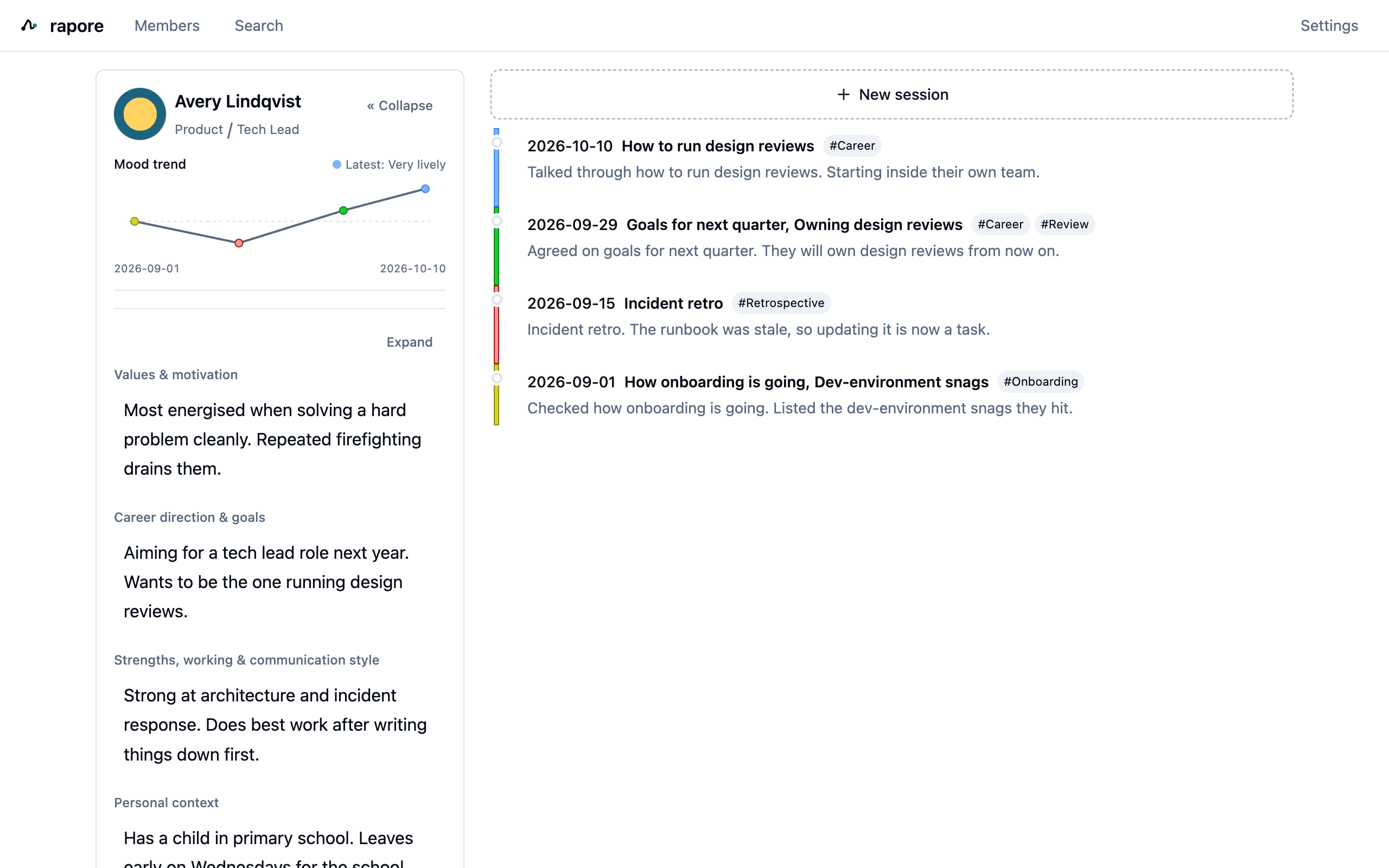
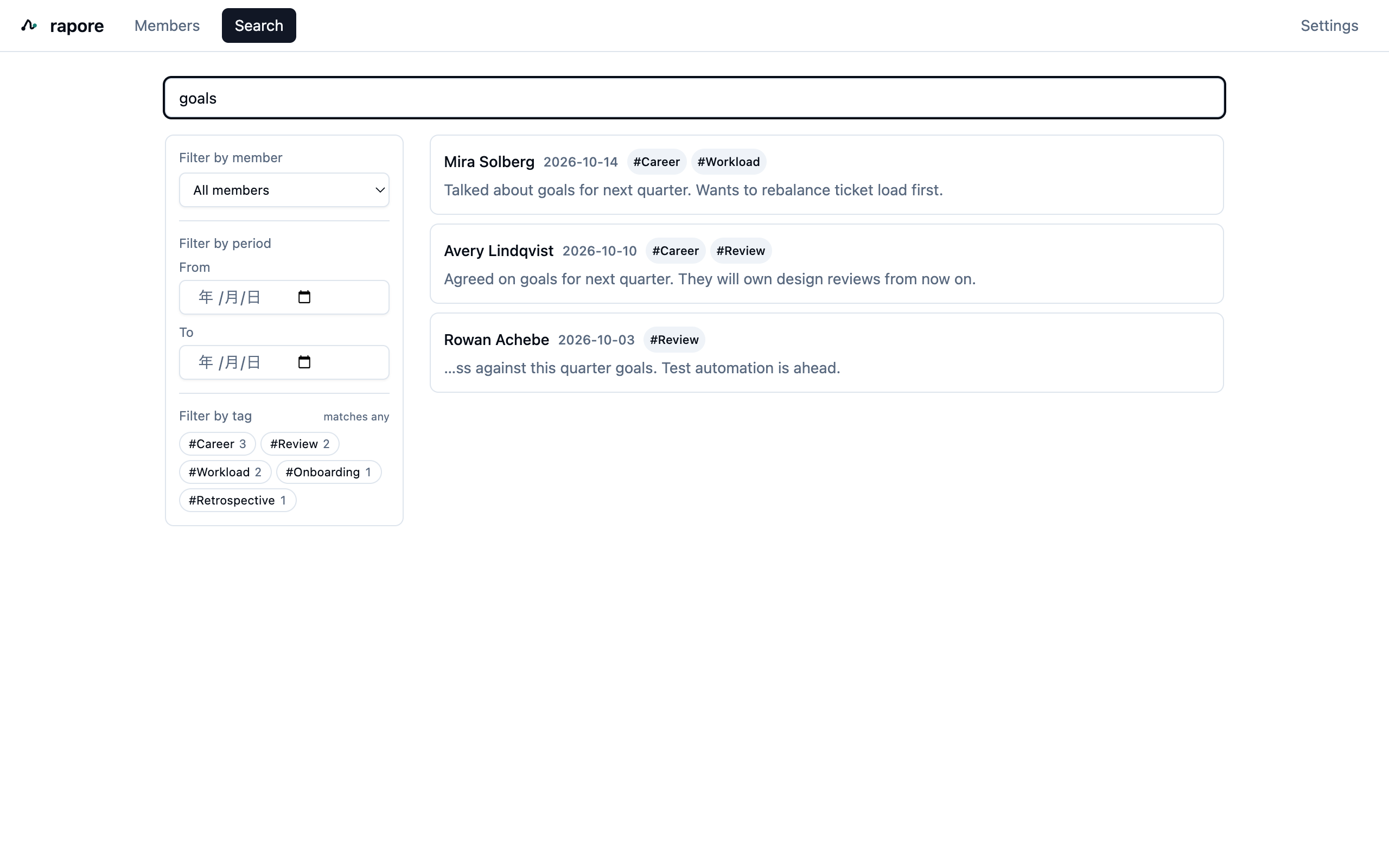
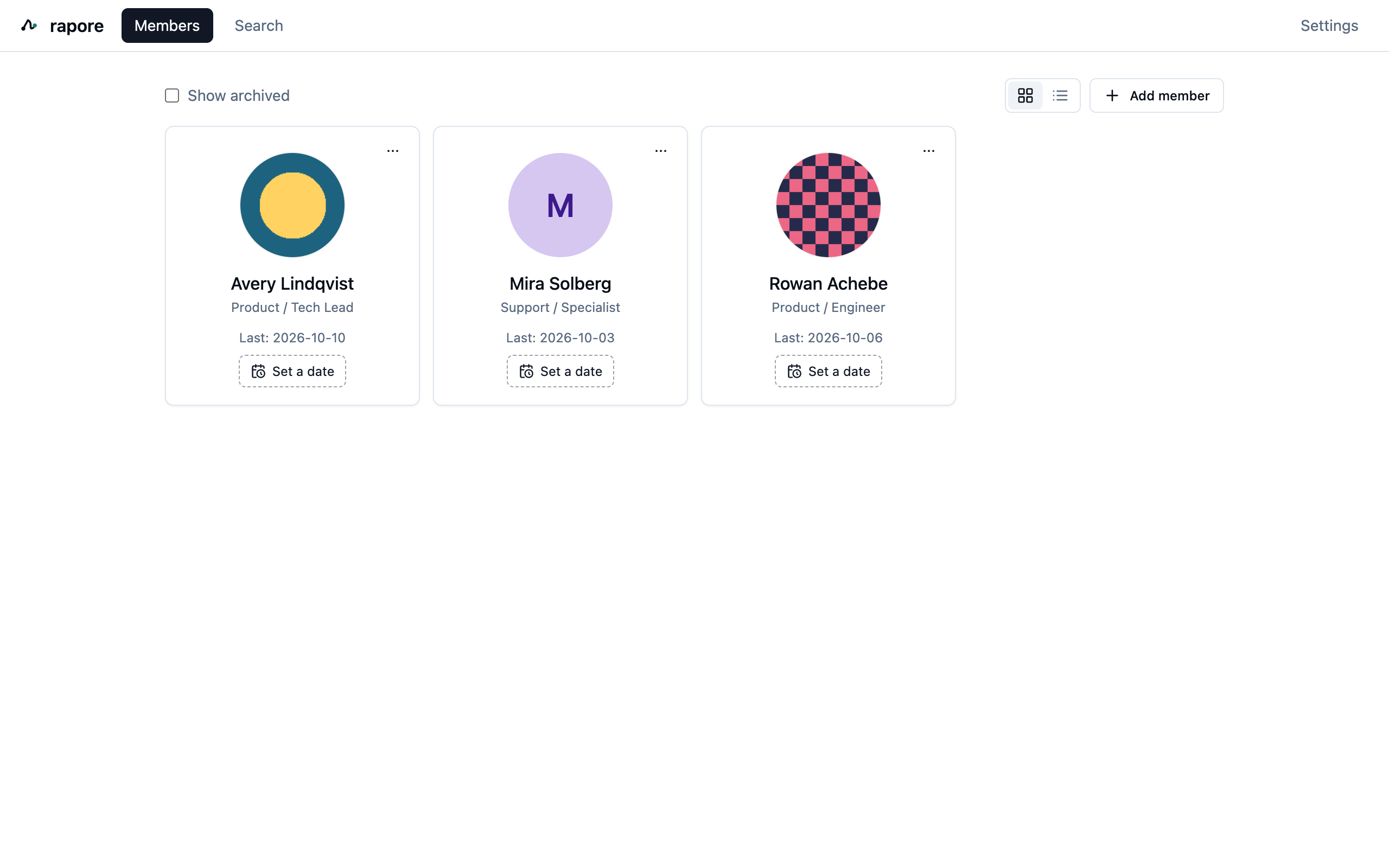
rapore at work.
A few minutes here and there that fit naturally into your week.


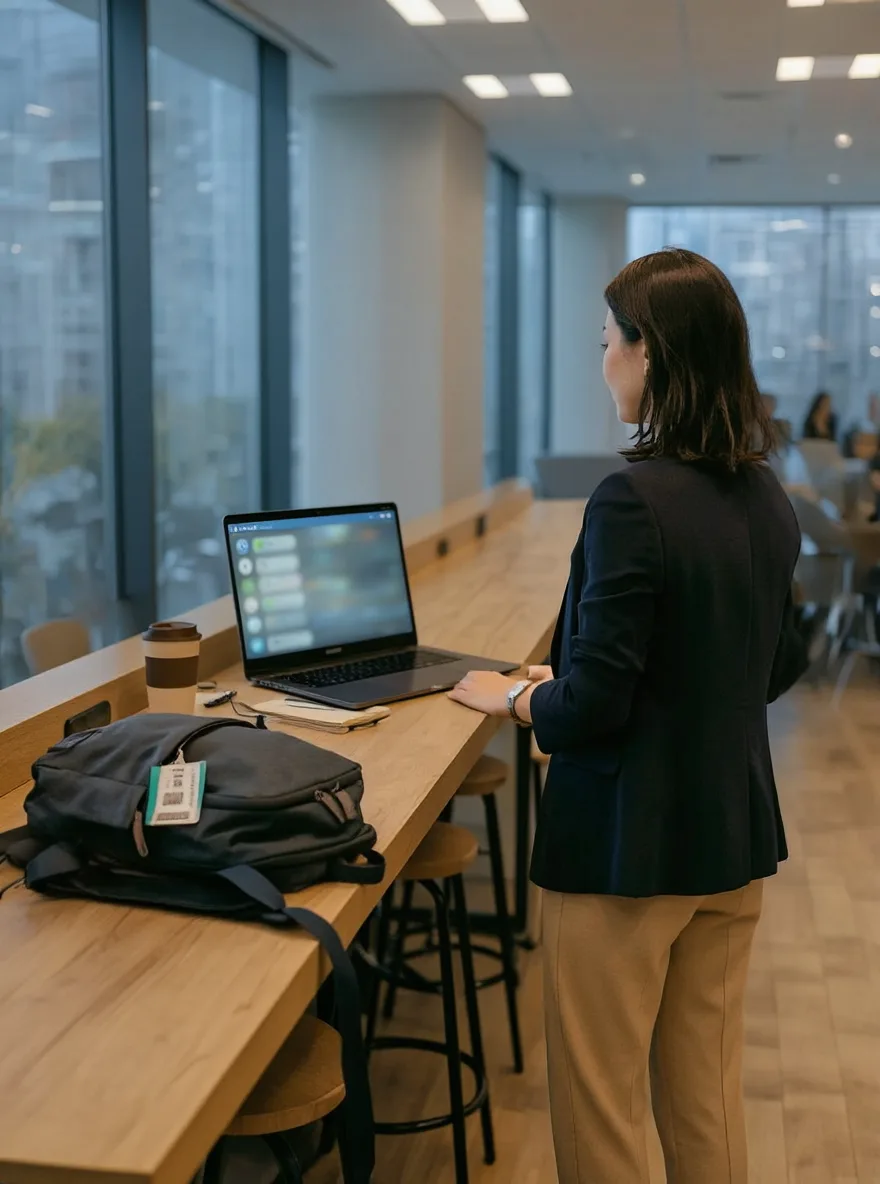
Just what a 1on1 needs, done properly.
Member profiles
Values, career direction, strengths and personal context in a structured profile. Keep it open beside your notes while you talk.
WYSIWYG Markdown
A live preview that formats as you type, with headings, bullets and checklists.
History & search
A timeline for each member. Search body text, topics and tags, narrow by member, date range or tag, and jump straight to the notes.
日本語 / English
Switch the display language at any time; by default it follows your OS. The member list also shows each next 1on1.
Local only, works offline
Everything lives in a single SQLite file on your computer. No telemetry, no account, no ads. Every feature works without a network.
Back up and take it anywhere
Export a consistent .db from Settings, or turn on automatic backups to a folder you choose. Notes are stored as plain Markdown, so other tools can always read them.
Today’s read
After each 1on1, record how they seemed to you on a 7-point scale and see the trend per member as a chart. It is not a performance-review tool.
Photos and card view
Drag and drop a photo to set someone’s icon. Switch the member list between cards and a list. Images are stored on your computer too.
AI access (optional, off by default)
Add and look up notes from AI tools on your own computer, such as Claude Desktop, Cursor or Codex CLI. Reading note text needs a separate permission.
Automatic copy before updates
When an update changes the storage format, rapore first saves a copy of the whole database (the last 3 are kept).
Four steps, starting today.
- STEP 01
Download and open
For Windows and macOS. Install it and you’re ready.
- STEP 02
Add your team
A name is all you need. Fill in profiles bit by bit later.
- STEP 03
Take notes during the 1on1
Write notes, topics and tags. Autosave means nothing half-written gets lost.
- STEP 04
Glance before the next one
Check their profile and last notes, then walk into the next 1on1 prepared.
1on1s have spread. Keeping them going is the hard part.
of mid-sized companies (100–699 employees) have adopted 1on1s
named “managers lack interviewing skills” as a problem
named “a growing load on managers” as a problem
named “1on1s happening less often or becoming a formality” as a problem
Source: Recruit Management Solutions, survey on the adoption of 1on1 meetings (January 2022; 936 full-time HR staff in Japan). rapore eases the work of preparing and looking back, with searchable notes and profiles that help you know the person.
Every feature, free for now.
Use it first and see whether it sticks. We’re finding out, too, whether it’s worth paying for.
- Every feature unlocked
- Unlimited members and history
- Export and backup
- Local only, works offline
A future v1.0 is planned to split into a free and a paid edition. It is not “free forever.” But you can always export your data, and we will never lock you out of your past notes.
The latest version is v0.7.0. Get it from GitHub.
macOS
rapore-0.7.0-arm64.dmgDownload from ReleasesWindows
rapore-Setup-0.7.0-x64.exeDownload from ReleasesThe Windows version shows a warning the first time you open it
The Windows version isn’t code-signed yet, so Windows shows “Windows protected your PC.” Nothing is wrong with the app — rapore is made by a solo developer who hasn’t bought a paid Windows signing certificate yet. Click “More info” → “Run anyway” to open it (steps). The macOS version is notarized, so you don’t need to do this there.
Answers to the questions you’re likely to have.
Where is my data stored?
Everything, including member photos and Today’s read, is stored in a single SQLite file on your computer and is never sent to an outside server. On macOS it’s ~/Library/Application Support/rapore/rapore.db; on Windows, %APPDATA%\rapore\rapore.db. The exact path is also shown in the app’s Settings.
Is there a limit on the number of members?
In the early-access version there is no limit on members or notes. Add as many people as you like and build up a profile and notes for each one.
Does it work offline?
Yes. Every feature, including notes, search and editing profiles, works without an internet connection. The only time it goes online is if you turn on “Tell me about new versions.”
Does it run on both Windows and Mac?
It supports Windows 10 / 11 (64-bit) and macOS 13 Ventura or later (from v0.6.0 it no longer opens on macOS 12 or earlier). On macOS it runs on Apple Silicon Macs only; there is no build for Intel Macs, and Rosetta doesn’t help. How to check your computer
How should I back up?
Use Settings → Backup → Create a backup (.db) in the app. It writes everything out as one consistent file. You can also turn on automatic backups to a folder you choose. We don’t recommend copying the database file by hand: it uses WAL mode, so your latest notes may still be in a separate file and get left behind. For the same reason, don’t keep the database file itself in a synced folder such as Dropbox or iCloud.
Is my data encrypted?
The current version doesn’t encrypt the database file itself. We strongly recommend turning on full-disk encryption on your computer (FileVault on macOS, BitLocker on Windows). Encryption at rest is on the roadmap.
How will I hear about new versions?
Turn on “Tell me about new versions” in Settings and the app will let you know (off by default; it only asks for the latest version number, at most once a day). You can also follow along with Watch or RSS on GitHub. The app never downloads updates on its own — you install a new version over the old one by hand, and your notes are kept. How to update
Can I use it with generative AI?
Yes (optional, off by default). You can add and read notes from AI clients running on your own computer, such as Claude Desktop, Claude Code, Cursor or Codex CLI. Letting the AI read note text needs a separate permission. rapore itself sends nothing, but whatever you let an AI read goes to that AI’s provider. It can’t be used from AI that runs in the cloud. AI access and privacy
Will it become paid?
The current v0.7.0 is free. A future version is planned to split into free and paid editions, but you will never lose access to your past data. Notes and profiles are stored as plain Markdown in a standard SQLite file, so other tools can always read them.
Do my team members use the app too?
No. The current version is designed for you, the manager, to use on your own. Your notes are your personal notes, kept separate from any performance-review system.

Turn today’s 1on1 into notes that last.
Start today, on your own. A 1on1 tool for you and your team.
v0.7.0 · macOS 13 Ventura or later (Apple Silicon) · Windows 10 / 11 (64-bit)